Listen to events
in real-time
Get a JSON payload that can be used by your app
whenever an action is made on emails, contacts, or domains.
{"type": "email.received","created_at": "2024-02-22T23:41:12.126Z","data": {"email_id": "56761188-7520-42d8-8898-ff6fc54ce618","created_at": "2024-02-22T23:41:11.894719+00:00","from": "Acme <onboarding@resend.dev>","to": ["delivered@resend.dev"],"bcc": [],"cc": [],"message_id": "<example+123>","subject": "Sending this example","attachments": []}}
Have full visibility
over your webhooks
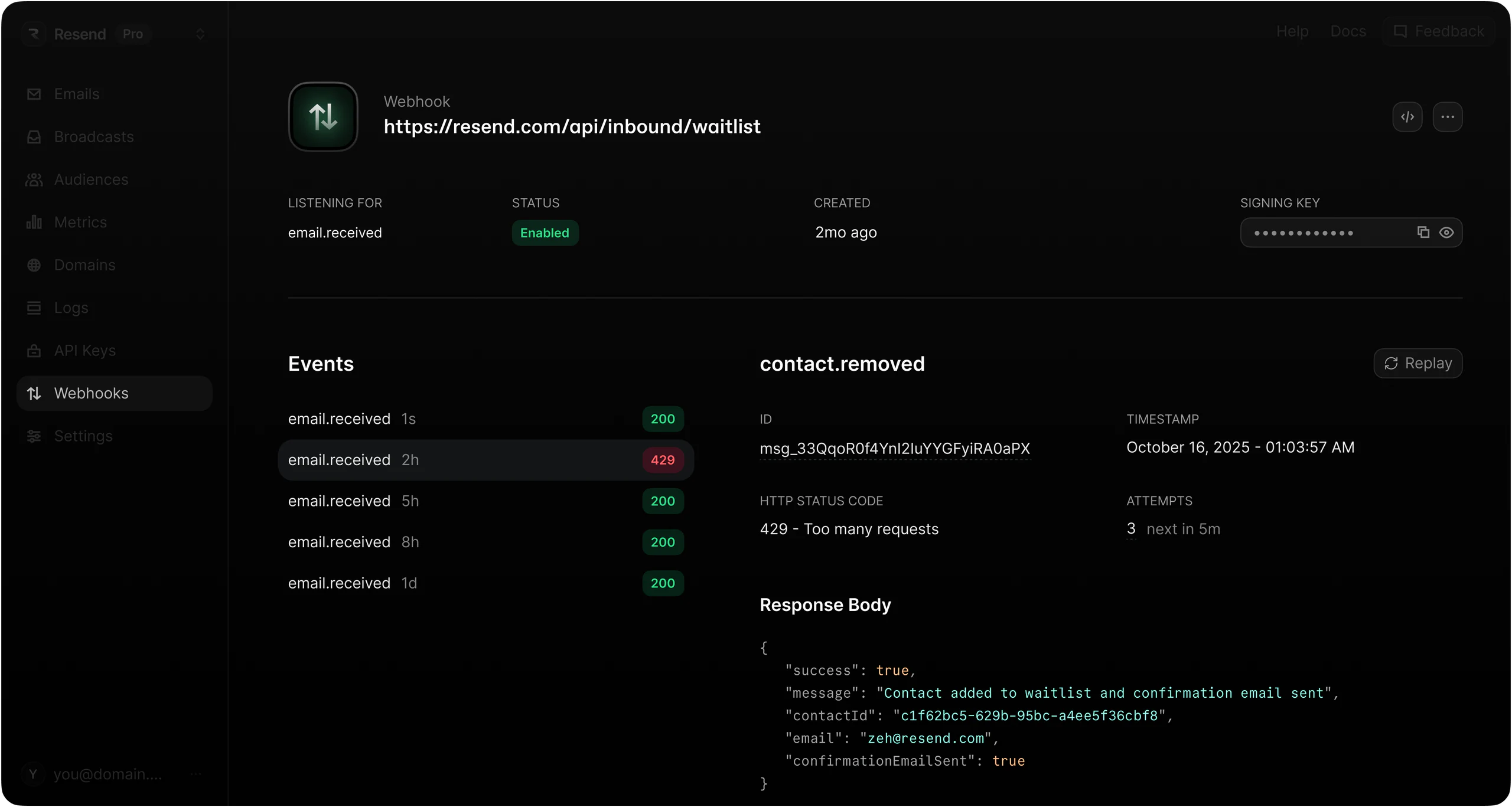
Inspect each webhook message, including the request
payload and response body. See attempt counts and replay
events if needed.

Most people see webhooks as notifications. For us, it's the foundation of new features.
Steven Tey
Founder of Dub
Every message,
guaranteed to arrive
Get consistent, reliable webhook messages out of the box.
Stay in control by leveraging retries and replays.
Automatic retries
With retries and exponential backoff, you can trust that your critical notifications will maintain the integrity even if there's a temporary system failure.
Learn moreManual replays
Quickly recover from errors by manually replaying failed webhook messages or guarantee consistency by replaying successful messages.
Learn moreGet started
with webhooks
Follow these steps to start receiving real-time events.
Step 1
Create an endpoint
Register your publicly accessible URL and choose which events you want to receive.
Step 2
Receive events
Resend sends a POST to your route with a JSON payload of details.
Start sending in minutes
Resend delivers mission-critical emails for some
of the fastest growing teams.