Email Suppressions
Manage your team's suppressed addresses from the dashboard and the API.
When a mailbox provider hard-bounces a recipient, or someone marks your email as spam, continuing to send to that address harms your reputation.
Resend automatically suppresses addresses that hard bounce or complain, and today we're introducing managed suppression lists.
Take full control to view, add, and remove entries to your team's suppression list from both the dashboard and the API.
How suppression works
An address is added to the suppression list for one of three reasons:
bounce: the recipient's mail server permanently rejected the email.complaint: the recipient marked your email as spam.manual: you add the recipient's address yourself.
Add suppressions
You can add individual email addresses or bulk import a suppression list for your team.
Or add an email address to your team's suppression list programmatically.
import { Resend } from 'resend';const resend = new Resend('re_xxxxxxxxx');const { data, error } = await resend.suppressions.add({email: 'steve.wozniak@example.com',});
If you're moving from another provider or have a larger list, you can also import a CSV.
Or bulk import up to 100 addresses via the API.
import { Resend } from 'resend';const resend = new Resend('re_xxxxxxxxx');const { data, error } = await resend.suppressions.batch.add({emails: ['steve.wozniak@example.com', 'susan.kare@example.com'],});
Suppressions apply to your entire team. A bounce or complaint on any domain suppresses that address across every one of your domains and subdomains.
Remember that adding a Suppression will skip all sending to that recipient until it is removed from your team's suppression list.
View your suppression list
Within the Dashboard, access Suppressions in the Email tab. Each row shows the suppressed address and its origin, links to the related contact, and offers an inline remove action.
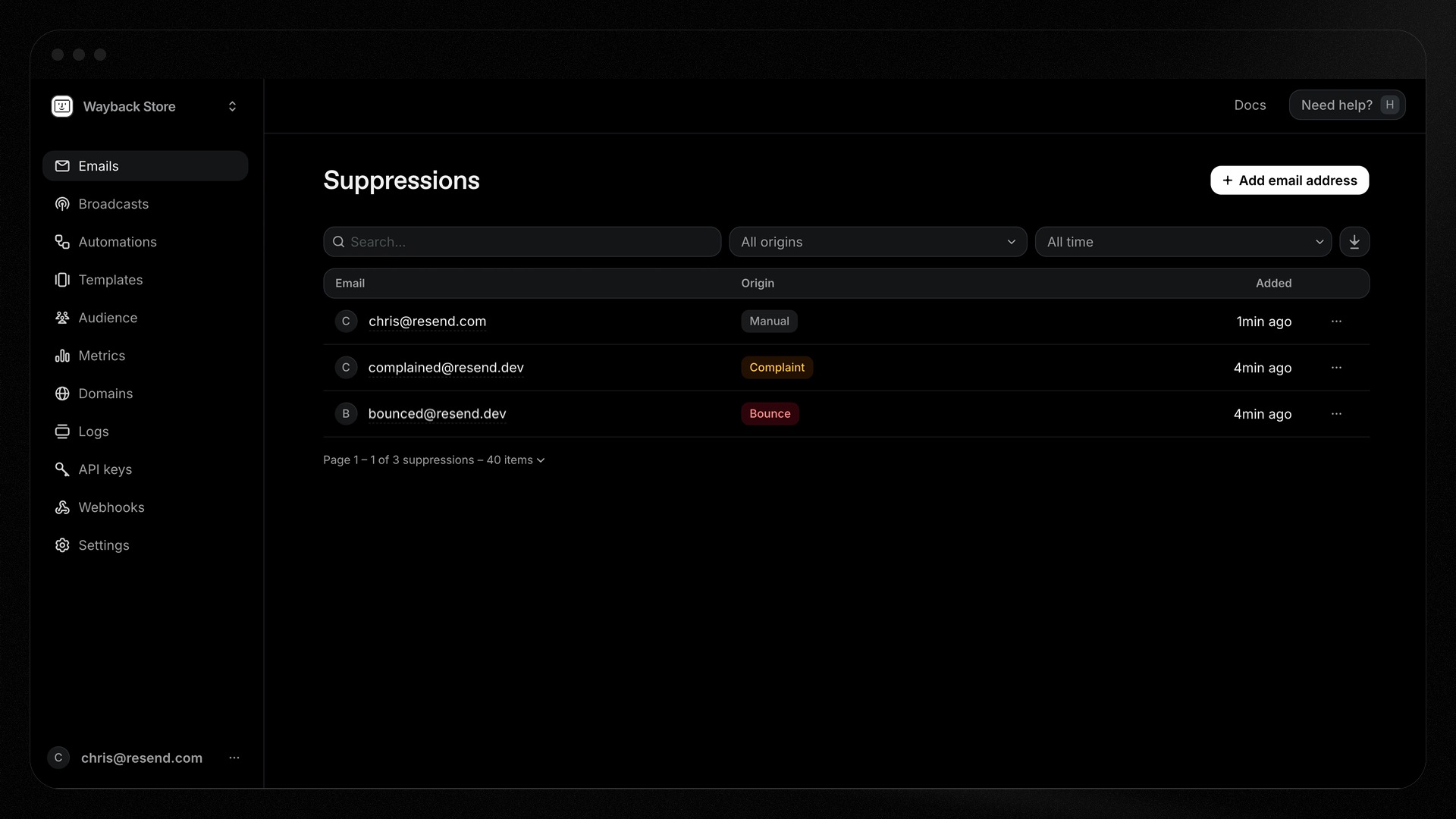
You can also programmatically retrieve a single Suppression or your entire suppression list, which returns key data about the Suppression.
{"object": "suppression","id": "e169aa45-1ecf-4183-9955-b1499d5701d3","email": "steve.wozniak@example.com","origin": "bounce","source_id": "4ef9a417-02e9-4d39-ad75-9611e0fcc33c","created_at": "2026-10-06T23:47:56.678Z"}// `source_id` references the email id that triggered the suppression (is `null` for `manual` origin suppressions).
Removing suppressed emails
If you've resolved the underlying issue that caused the Suppression, you can remove the address from the Email tab, from the Contact's timeline, or from the email's event.
You can also remove items from Suppressions individually by either email or suppression id or bulk remove 100 at a time.
import { Resend } from 'resend';const resend = new Resend('re_xxxxxxxxx');// Remove by suppression idconst { data, error } = await resend.suppressions.remove('e169aa45-1ecf-4183-9955-b1499d5701d3');// Remove by emailawait resend.suppressions.remove('steve.wozniak@example.com');
Removing an address from the suppression list does not guarantee delivery. If it bounces or is marked as spam again, it will be suppressed again automatically. Remember that repeated bounces harm your sender reputation.
Full webhook support
For maximum visibility, we've added two new webhook events you can track:
suppression.added: triggered when an address is added.suppression.removed: triggered when an address is removed.
Listen to these events to respond in real-time within your own application.
The existing email.suppressed fires whenever you send an email that is suppressed because it matches a suppression list entry.
What you can build with it
- Manual do-not-send control: add or remove addresses yourself, individually or in bulk.
- Sync with your own systems: listen for the
email.suppressedwebhook to mirror suppressions in your database. - Audit and export: review why an address was suppressed and export the full list from the dashboard.
Conclusion
Suppression lists protect your sender reputation automatically, while keeping you in full control from both the dashboard and the API.
If you have any questions, please reach out to us and we'll be happy to help.